

Walmart Photo Center: The Honest Guide You Actually Need in 2026
Introduction
You have hundreds of photos sitting on your phone right now. Some of them are genuinely beautiful. A birthday moment. A family trip. A sunset that actually came out the way you saw it. And yet, they are just sitting there, unseen and unprinted.
That is where the Walmart Photo Center comes in.
Whether you want a quick 4×6 print, a large canvas for your living room wall, or a custom photo book for your mom’s birthday, Walmart has quietly built one of the most affordable and accessible photo printing services in the United States. This article walks you through everything you need to know — what services they offer, how pricing works, how to order online or in-store, and tips to get the best results every time.
Let’s get into it.
What Is the Walmart Photo Center?
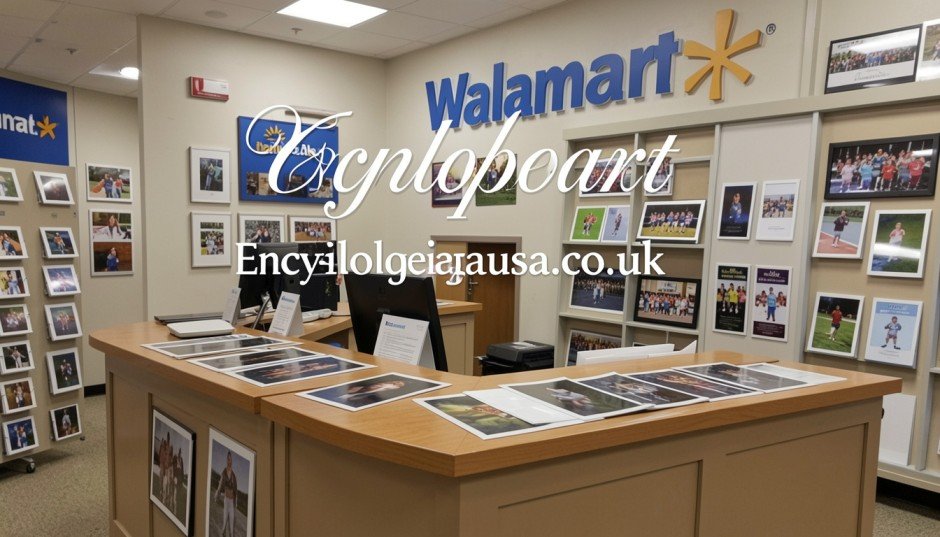
The Walmart Photo Center is Walmart’s in-store and online photo printing service. It lets you turn digital photos into physical prints, custom gifts, cards, photo books, and more.
You can access it two ways. You can walk into a Walmart store and use the in-store kiosks. Or you can go online to photos.walmart.com and place an order from home.
The service is powered by a third-party provider called Shutterfly. Walmart partnered with Shutterfly to handle fulfillment on many products, especially those shipped to your home. However, same-day and next-day in-store prints are still processed locally at many Walmart locations.
The Walmart Photo Center appeals to a huge range of customers — from families printing holiday cards to students printing thesis photos to grandparents who just want a wallet-size print of their grandchild.
Walmart Photo Center Services: What Can You Actually Print?
This is where things get interesting. The Walmart Photo Center offers far more than just basic prints.
Standard Photo Prints
These are the everyday prints most people need. You can order:
- 4×6 prints
- 5×7 prints
- 8×10 prints
- Wallet-size prints (set of 4)
- 11×14 and larger enlargements
Same-day pickup is available at most locations for standard prints. You upload your photos online, choose your size, and pick them up in about an hour. That convenience alone is a huge reason people keep coming back.
Photo Books
Photo books are one of the best products the Walmart Photo Center offers. You build a custom book online using their design tool, choose your cover type (softcover or hardcover), and select a layout. They are perfect for:
- Wedding albums
- Baby’s first year
- Family vacation memories
- Graduation collections
Prices are competitive, especially when you compare them to specialty photo book companies. A basic softcover book can start as low as $8 to $10, depending on the size and number of pages.
Canvas Prints
Want to turn a photo into wall art? The Walmart Photo Center offers canvas prints in multiple sizes. You upload your image, choose your size, and they stretch it over a wooden frame. Canvas prints are a popular choice for home décor because they look premium without the premium price tag.
Sizes range from small 8×10 canvases up to large 16×20 or even bigger options.
Personalized Gifts
This is where the Walmart Photo Center really goes beyond a print shop. You can order:
- Photo mugs
- Phone cases with your photo
- Blankets and pillows
- Puzzles
- Tote bags
- Calendars
- Playing cards
These make thoughtful gifts. I have personally ordered a photo mug for a friend’s birthday and it arrived in great condition within a few days.
Holiday and Greeting Cards
Every year around the holidays, Walmart’s photo card section gets very busy. You can design custom Christmas cards, birthday cards, birth announcements, and graduation announcements. You choose a template, upload your photo, add your message, and order them in bulk.
The pricing per card drops significantly as you increase the quantity, which makes them great for large families or businesses.
Passport Photos
Yes, the Walmart Photo Center offers passport photos too. You can get government-compliant passport photos taken in-store at many locations. This is cheaper than going to a dedicated passport photo service or a UPS Store.
How to Order from the Walmart Photo Center
You have two main options: online ordering or in-store kiosk.
Ordering Online
Here is how to place an order online:
- Go to photos.walmart.com
- Create or log into your Walmart account
- Upload your photos from your phone, computer, or connected storage like Google Photos or Facebook
- Choose your product (prints, books, gifts, etc.)
- Customize your order
- Choose pickup or delivery
- Checkout and wait
For in-store pickup, most standard prints are ready in about one hour. Specialty products like canvas prints or photo books take longer and may require shipping.
Using the In-Store Kiosk
If you prefer doing things in person, walk into your nearest Walmart and find the photo center kiosk. It is usually near the customer service area or the electronics section. You can plug in your USB drive, insert a memory card, or connect via Bluetooth or Wi-Fi from your phone to upload photos directly.
The kiosk walks you through the process step by step. You choose your sizes, quantity, and finish (glossy or matte), pay at the kiosk, and your prints are usually ready within an hour.
Walmart Photo Center Pricing: Is It Really That Affordable?
One of the biggest draws of the Walmart Photo Center is price. Let’s look at what you can expect to pay.
Print Pricing (Approximate)
| Product | Price |
|---|---|
| 4×6 print | $0.09 – $0.19 |
| 5×7 print | $0.88 – $1.29 |
| 8×10 print | $2.96 – $3.96 |
| Wallet prints (set of 4) | $0.99 – $1.49 |
| 11×14 print | $5.96 – $7.96 |
These prices are some of the lowest you will find anywhere. CVS, Walgreens, and independent print shops typically charge more for the same sizes.
Canvas and Gift Pricing
Canvas prints start around $15 to $20 for smaller sizes and go up from there. Photo mugs start around $10 to $12. Photo books start at around $8 and increase depending on page count and size.
Shipping Costs
If you choose home delivery, shipping fees apply. Orders above a certain threshold sometimes qualify for free shipping. Check the website at checkout for current shipping promotions, because they run deals often.

Tips to Get the Best Results from the Walmart Photo Center
Not every photo looks great when printed. Here are tips to make sure your prints come out sharp, vibrant, and worth keeping.
Use High-Resolution Photos
This is the single most important factor. A photo that looks fine on your phone screen can look blurry when printed at 8×10 or larger. For best results:
- Use at least 300 DPI (dots per inch) for any print
- For a 4×6 print, your photo should be at least 1200 x 1800 pixels
- For an 8×10 print, aim for at least 2400 x 3000 pixels
The Walmart website usually warns you if your uploaded image is too low resolution for the chosen print size.
Choose the Right Finish
Glossy finish makes colors pop and is great for portraits and landscape photos. Matte finish reduces glare and works better for photos that will be displayed under bright lights or framed behind glass.
Calibrate Your Screen
Your phone or computer screen may show colors differently than what the printer produces. If color accuracy matters to you, slightly bump up the brightness of your image before uploading. Many photos come out slightly darker when printed compared to how they look on a backlit screen.
Check for Cropping
When you choose a print size, the aspect ratio matters. A 4×6 print has a different ratio than an 8×10. If you do not check the cropping preview before ordering, you might accidentally cut off someone’s head or feet. Always preview before you confirm.
Order During Promotions
Walmart runs frequent promotions on photo products. Sometimes you can get prints for as low as $0.09 each. Sign up for email alerts or check Walmart’s deals page before placing a large order.
Walmart Photo Center vs. Competitors
How does Walmart stack up against other photo printing services?
Walmart vs. Walgreens
Both offer same-day in-store pickup. Walgreens tends to charge slightly more per print. Walmart wins on price, but Walgreens locations are more spread out in urban areas.
Walmart vs. Shutterfly
Shutterfly offers more customization and higher-end photo books. However, Shutterfly is more expensive and does not offer same-day pickup. Walmart wins on speed and price; Shutterfly wins on variety and quality for premium products.
Walmart vs. Costco Photo Center
Costco used to be a dominant player but shut down its photo center in 2020. This actually pushed many customers toward the Walmart Photo Center, which helped grow its user base significantly.
Walmart vs. CVS
CVS is convenient and widespread but charges higher prices per print. CVS also has fewer customization options for gifts and specialty products. Walmart wins on both price and product variety.
Common Problems at the Walmart Photo Center (And How to Fix Them)
Even great services have occasional hiccups. Here are the most common issues and how to deal with them.
“My photos look blurry”
This almost always comes down to image resolution. Before reordering, check your original photo file size. If it is under 1MB for a large print, it likely does not have enough resolution. Use the highest quality setting on your camera or phone going forward.
“My order is not ready on time”
In-store kiosks can get backed up during busy periods like Christmas, Valentine’s Day, and graduation season. If you need prints urgently, go during off-peak hours — early morning or mid-week works best. You can also call ahead to ask about current wait times.
“The colors look different than my screen”
This is a common issue. Screens are backlit and tend to show colors brighter and more saturated than printed versions. Slightly increasing brightness and contrast before uploading usually helps close this gap.
“I cannot find the Walmart Photo Center in my store”
Not every Walmart location has an active photo center. Some stores have removed their kiosks. You can check the Walmart store finder online to confirm whether your nearest location offers photo services before making a trip.
Is the Walmart Photo Center Worth Using?
Honestly, yes — for most people, absolutely.
If you want affordable prints fast, no other major chain beats Walmart on price. The in-store same-day service is genuinely convenient. And the range of products — from basic prints to canvas art to personalized gifts — means you can handle almost any photo need in one place.
Is it a premium photo lab? No. If you are a professional photographer who needs color-accurate fine art prints, you will want a dedicated photo lab. But for everyday family photos, gifts, holiday cards, and wall art at a reasonable price, the Walmart Photo Center delivers solid value.
Conclusion
The Walmart Photo Center is one of those quiet workhorses that millions of people use without much fanfare. It is affordable, accessible, fast, and surprisingly versatile. From a $0.09 print to a custom canvas on your wall, it covers a lot of ground without asking you to break the bank.
If you have been letting memories sit on your phone untouched, today is a good day to change that. Head to photos.walmart.com, pick a few of your favorite shots, and turn them into something real.
Which photo are you going to print first? Drop a comment or share this article with someone who has a memory worth printing.
FAQs About the Walmart Photo Center
1. Does Walmart still have a photo center? Yes. Walmart still operates photo centers, both in-store and online at photos.walmart.com. Some store locations may have limited or no in-store kiosks, so check your local store before visiting.
2. How long does Walmart Photo Center take for in-store pickup? Standard prints are usually ready within one hour. Specialty products like photo books and canvas prints take longer and are typically shipped to your home.
3. What is the cheapest print size at Walmart Photo Center? The 4×6 print is the most affordable, often priced as low as $0.09 to $0.19 per print, especially during promotions.
4. Can I upload photos from my phone to Walmart Photo Center? Yes. You can upload directly from your phone through the Walmart Photos website or app. You can also connect Google Photos or Facebook to import images.
5. Does Walmart Photo Center do passport photos? Yes, many Walmart locations offer in-store passport photo services. The photos are printed to government specifications. Call your local store to confirm availability.
6. What is the best photo size to print at Walmart? That depends on your use. For framing and display, 8×10 is a popular choice. For everyday sharing and scrapbooking, 4×6 works great. For wall art, go with a canvas print at 16×20 or larger.
7. Can I print same-day at Walmart? Yes. Same-day printing is available at most Walmart locations with in-store kiosks. Orders placed before a certain cutoff time are typically ready within one hour.
8. Is Walmart Photo Center powered by Shutterfly? Yes. Walmart partnered with Shutterfly for fulfillment of many products, particularly those shipped to your home. In-store prints are still handled locally at most locations.
9. How do I get the best quality prints at Walmart? Use high-resolution photos (at least 300 DPI), check the cropping preview before ordering, and choose the right finish (glossy or matte) for your use case.
10. Does Walmart Photo Center offer free shipping? Walmart occasionally runs free shipping promotions on photo orders. Check the website at checkout or sign up for email deals to catch these offers.
Author Bio
Jessica Monroe is a lifestyle and consumer tech writer with over eight years of experience covering everyday shopping, home organization, and digital tools. She specializes in helping readers get the most value out of everyday services. When she is not writing, she is printing too many photos and running out of wall space.
Also read encyclopediusa.co.uk
Email: johanharwen314@gmail.com
Author Name: Johan Harwen