
How to Create AdSense Account for YouTube: Ultimate Guide
Introduction
Imagine creating videos you love and getting paid for it. That’s the dream for millions of YouTube creators worldwide. The key to unlocking this revenue stream is knowing how to create AdSense account for YouTube. This connection between your channel and Google AdSense transforms your creative passion into actual income.
Many creators get confused about the monetization process. They wonder whether they need to set up AdSense separately or if YouTube handles everything automatically. The truth is that while YouTube and AdSense work together seamlessly, you need to understand the process to avoid delays and complications.
This comprehensive guide walks you through everything about creating an AdSense account for YouTube. You’ll discover the requirements you must meet, the exact steps to follow, common mistakes to avoid, and troubleshooting tips when things don’t go as planned. Whether you’re a brand new creator just reaching monetization thresholds or someone who’s been creating content for years, understanding how to create AdSense account for YouTube properly ensures you start earning without unnecessary headaches. Let’s dive into turning your YouTube passion into profit.
Understanding YouTube Monetization and AdSense
Before jumping into account creation, you need to understand how YouTube monetization works. YouTube doesn’t pay you directly. Instead, Google AdSense acts as the middleman that processes payments for ads shown on your videos.
When viewers watch ads on your content, advertisers pay Google. Google then splits this revenue with you through AdSense. The platform handles all payment processing, tax documentation, and financial reporting. This system keeps everything organized and legitimate.
Your YouTube channel and AdSense account must connect properly for money to flow. Think of YouTube as the storefront where customers see products, while AdSense is the cash register that actually processes transactions. Both need to work together smoothly.
The YouTube Partner Program
Monetization happens through the YouTube Partner Program. You cannot earn money from ads until YouTube accepts you into this program. The Partner Program has specific requirements that you must meet before you can even think about AdSense.
Once accepted into the Partner Program, YouTube prompts you to set up or connect an AdSense account. This connection happens within your YouTube Studio settings. The process is designed to be straightforward, though some creators encounter obstacles.
Understanding this relationship between YouTube and AdSense prevents confusion later. You’re not creating two separate businesses. Instead, you’re linking two Google services that work together to monetize your content.
Requirements Before Creating Your AdSense Account
You cannot randomly decide to monetize your YouTube channel. Specific requirements exist that you must satisfy before the option even becomes available. Let me break down what you need.
YouTube Partner Program Eligibility
First and foremost, your channel must qualify for the YouTube Partner Program. This means you need at least 1,000 subscribers on your channel. You also need 4,000 valid public watch hours in the past 12 months. Alternatively, you can qualify with 10 million valid public Shorts views in the past 90 days.
These thresholds ensure that only serious creators with engaged audiences can monetize. YouTube wants to prevent spam and low-quality content from flooding the platform with ads. Meeting these requirements typically takes months or even years for new creators.
Your channel must also comply with all YouTube monetization policies. This includes following community guidelines, copyright rules, and advertiser-friendly content guidelines. Strikes against your channel can delay or prevent monetization approval.
Geographic and Age Requirements
You must live in a country or region where the YouTube Partner Program is available. Most countries support the program, but some regions remain excluded due to various restrictions. Check YouTube’s official list of supported countries before proceeding.
Age requirements also apply. You must be at least 18 years old to create an AdSense account. If you’re younger, you’ll need a parent or guardian to create and manage the AdSense account on your behalf. This protects minors and ensures legal compliance.
Account Standing Requirements
Your channel needs to maintain good standing with YouTube. This means no active community guideline strikes, no copyright strikes, and no spam or deceptive practices. YouTube reviews channels carefully before approving monetization.
Two-step verification must be enabled on your Google account. This security measure protects both you and Google from unauthorized access. Setting this up takes just a few minutes and adds an important security layer.
Step by Step Process to Create AdSense Account for YouTube
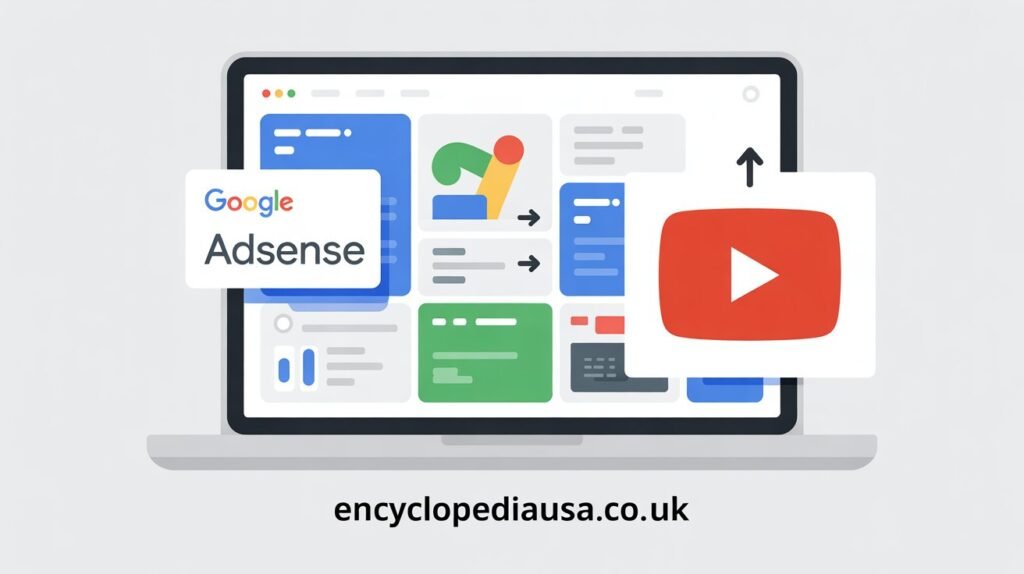
Now that you understand the requirements, let’s walk through the actual process. Following these steps carefully ensures smooth account creation without complications.
Step One: Apply for YouTube Partner Program
Log into YouTube Studio using the channel you want to monetize. Navigate to the monetization section in the left sidebar. If you meet the eligibility requirements, you’ll see an option to apply for the Partner Program.
Click on “Start” to begin your application. YouTube will ask you to review and accept the Partner Program terms. Read these carefully, as they outline your responsibilities and YouTube’s policies. Once you accept, move to the next step.
YouTube needs to review your channel to ensure it complies with all policies. This review process typically takes about a month, though it can be faster or slower depending on various factors. You’ll receive an email when YouTube makes a decision.
Step Two: Set Up or Connect AdSense
After YouTube approves your channel for monetization, return to YouTube Studio. The monetization section will now show an option to sign up for Google AdSense. Click this option to begin the AdSense setup process.
YouTube will ask whether you have an existing AdSense account. If you already use AdSense for a website or blog, you can connect that same account to YouTube. Most YouTube creators will select the option to create a new AdSense account.
Clicking “Create AdSense Account” opens a new window or tab. This takes you to the AdSense application page. Make sure you’re signed into the Google account associated with your YouTube channel. Using different Google accounts for YouTube and AdSense creates problems.
Step Three: Fill Out AdSense Application
The AdSense application asks for several pieces of information. You’ll need to provide your country, time zone, and account type. For most individual creators, select “Individual” as your account type. Businesses should select “Business.”
Enter your payment address accurately. This is where Google will send any physical mail, including verification letters or tax forms. Use your legal name exactly as it appears on government identification. Mismatches can delay payment processing later.
Provide your phone number and email address. Google uses these for account verification and important notifications. You’ll receive a verification code via text message or phone call. Enter this code to verify your contact information.
Step Four: Connect AdSense to YouTube
After completing the AdSense application, you’ll be redirected back to YouTube Studio. The system should automatically detect that you’ve created an AdSense account. If it doesn’t happen immediately, wait a few minutes and refresh the page.
YouTube will show that your AdSense account is now connected but pending verification. This is normal. Google needs to verify your information and ensure everything matches correctly. During this verification period, you cannot yet receive payments.
The verification process involves Google sending you a physical PIN by mail to your payment address. This can take two to four weeks depending on your location. Watch your mail carefully and enter the PIN in your AdSense account when it arrives.
Step Five: Enable Monetization Features
While waiting for AdSense verification, you can enable monetization on your videos. Return to YouTube Studio and go to the monetization section. You’ll see options for different ad formats including display ads, overlay ads, skippable video ads, and non-skippable video ads.
Choose which ad types you want to allow on your videos. Most creators enable all ad types to maximize revenue potential. However, you might choose to disable certain formats if they don’t fit your content style or audience preferences.
You can enable monetization on existing videos and set monetization preferences for future uploads. YouTube provides bulk actions that let you monetize multiple videos simultaneously. This saves time if you have a large catalog of content.
Common Mistakes to Avoid
Many creators encounter problems when learning how to create AdSense account for YouTube. Avoiding these common mistakes saves frustration and delays.
Using Multiple Google Accounts
One of the biggest mistakes is using different Google accounts for YouTube and AdSense. Always use the same Google account for both services. Mixing accounts creates technical problems that are difficult to resolve.
If you accidentally create AdSense with a different Google account, you’ll need to contact support to fix the issue. This process can take weeks and delay your monetization significantly. Double-check that you’re signed into the correct Google account before starting AdSense signup.
Providing Incorrect Personal Information
Entering your name, address, or other personal details incorrectly causes major problems. Google matches this information across various verification steps. Inconsistencies trigger additional review processes or account holds.
Use your legal name exactly as it appears on government identification. Don’t use nicknames, channel names, or business names unless you’re specifically setting up a business account. Your payment address should match where you actually receive mail.
Ignoring AdSense Policies
AdSense has specific policies about content quality, prohibited content, and click behavior. Violating these policies can result in account termination. Read AdSense program policies carefully and ensure your content complies.
Never click your own ads or encourage viewers to click ads. This violates AdSense policies and will get your account banned permanently. Let viewers click ads naturally based on genuine interest in the advertised products or services.
Not Completing Verification Steps
Some creators set up AdSense but never complete the verification process. Without verification, you cannot receive payments. Watch for the verification PIN in your mail and enter it promptly in your AdSense account.
Also complete tax information in AdSense when prompted. US creators need to provide a W-9 form with their tax identification number. International creators typically complete a W-8 form. Skipping tax documentation prevents payment processing.
Optimizing Your AdSense Settings
After successfully creating your AdSense account for YouTube, optimizing your settings maximizes earnings and ensures smooth operations.
Payment Settings Configuration
Navigate to the payment section in AdSense to set up how you’ll receive money. You’ll need to select a payment method. Options typically include direct deposit, wire transfer, or checks, depending on your country.
Direct deposit is usually the fastest and most reliable option. Provide your bank account details accurately. Google runs test deposits to verify your bank information before processing actual payments. This verification ensures your earnings go to the correct account.
Set your payment threshold according to your preferences. The default threshold is typically $100, meaning Google pays you when your balance reaches that amount. Some countries allow you to adjust this threshold within certain limits.
Tax Information Setup
Completing tax information is mandatory before receiving payments. US creators must provide a taxpayer identification number using Form W-9. This allows Google to report your earnings to the IRS as required by law.
International creators complete Form W-8BEN or W-8BEN-E to claim tax treaty benefits if applicable. These forms help reduce or eliminate US tax withholding on your earnings. Consult a tax professional if you’re unsure which form applies to your situation.
Update tax information whenever your circumstances change. Moving to a different country, changing business structure, or other major changes require updated documentation. Keeping tax information current prevents payment delays.
Account Security Measures
Enable all available security features on your AdSense account. Two-step verification adds an extra layer of protection against unauthorized access. This security measure is absolutely essential given that AdSense handles your income.
Regularly review account access and connected applications. Remove any outdated or suspicious connections. Monitor your account for unusual activity and report anything suspicious to Google immediately.
Never share your AdSense login credentials with anyone. Legitimate YouTube managers or editors don’t need AdSense access. They can help with content but shouldn’t access your payment information.
Troubleshooting Common AdSense Issues
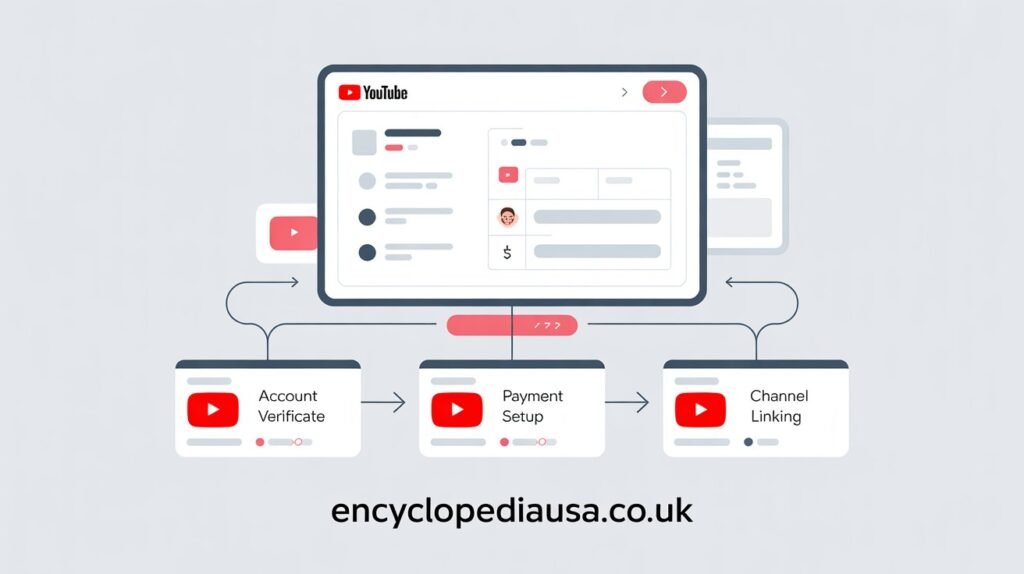
Even when following all steps correctly, you might encounter problems. Here’s how to solve the most common issues.
AdSense Application Rejected
Sometimes Google rejects AdSense applications for various reasons. Common causes include providing incomplete information, having insufficient content, or previous policy violations. Review the rejection email carefully to understand the specific reason.
If rejected due to incomplete information, simply reapply with complete and accurate details. If rejected for policy violations, address those violations before reapplying. You might need to wait 30 days or longer before submitting another application.
For rejections related to content quality, focus on creating more high-quality videos that comply with all policies. Build your channel further and reapply once you’ve established a stronger content library and audience engagement.
Account Verification Problems
If you don’t receive your verification PIN within four weeks, you can request a new PIN through AdSense. Google allows up to three PIN requests. After three failed attempts, your account may be temporarily suspended until you resolve the verification issue.
Ensure your mailing address is correct and can receive international mail. Some addresses, like PO boxes in certain countries or military addresses, might experience delivery delays. Contact AdSense support if you’ve waited excessively long for your PIN.
Payment Issues
Payment problems usually stem from incomplete payment information or verification. Double-check that your bank account details are correct and verified. Ensure you’ve completed all tax documentation requirements for your country.
Payments process monthly once you reach the payment threshold. Google pays around the 21st of each month for earnings from the previous month. If your balance is below the threshold, earnings roll over to the next month.
If payments consistently fail, contact your bank to ensure they accept international wire transfers from Google. Some banks block or hold these payments, requiring you to authorize them explicitly.
Maximizing Your YouTube AdSense Earnings
Creating your AdSense account is just the beginning. Maximizing earnings requires strategic approaches to content creation and channel management.
Creating Advertiser Friendly Content
Advertisers pay more for content that aligns with their brand values. Family-friendly content in popular niches typically earns higher CPM rates. Controversial, sensitive, or mature content often gets limited or no ads.
Research advertiser-friendly content guidelines thoroughly. Avoid excessive profanity, violence, or controversial topics if maximizing ad revenue is your priority. You can create any content you want, but understand how it affects monetization.
Certain video topics attract premium advertisers willing to pay higher rates. Finance, technology, business, and education content often commands higher CPMs than entertainment or gaming content. Consider this when planning your content strategy.
Optimizing Video Length and Format
Longer videos allow more ad placements, potentially increasing earnings. Videos over eight minutes enable mid-roll ads, which can significantly boost revenue. However, longer videos only work if viewers actually watch them.
Focus on watch time and audience retention rather than just length. A ten-minute video where viewers watch only two minutes earns less than a five-minute video that viewers watch completely. Quality and engagement matter more than arbitrary length targets.
Experiment with different content formats to see what resonates with your audience and attracts valuable advertisers. Tutorial content, product reviews, and how-to videos often perform well for monetization.
Building Consistent Upload Schedule
Regular uploads keep your channel active and audiences engaged. Consistent viewers return for new content, increasing overall watch time and ad impressions. Establish a realistic upload schedule you can maintain long-term.
Quality matters more than quantity. One excellent video per week outperforms three mediocre videos. Focus on creating content your audience genuinely values rather than churning out videos just to maintain frequency.
Seasonal trends and viral topics can boost earnings temporarily, but sustainable income comes from consistent, quality content that builds loyal audiences. Balance trending topics with evergreen content that continues earning over time.
Understanding AdSense Payments and Reporting
Once your AdSense account generates earnings, understanding payments and reporting helps you manage your YouTube income effectively.
Reading Your AdSense Reports
AdSense provides detailed reports showing your earnings, ad impressions, click-through rates, and other metrics. Learn to read these reports to understand what’s working and what isn’t. The reports break down performance by video, date range, and ad type.
Pay attention to CPM and RPM metrics. CPM shows how much advertisers pay per thousand impressions. RPM shows your actual earnings per thousand views after YouTube’s revenue share. These metrics help you gauge your channel’s monetization effectiveness.
Use reporting data to identify your most profitable content. Double down on topics and formats that generate higher earnings. Conversely, consider adjusting strategies for underperforming content types.
Payment Schedule and Thresholds
Google processes AdSense payments monthly on a net 30 basis. Earnings from January appear in your AdSense account in February and pay out in late February if you’ve reached the payment threshold. Understanding this timeline helps you budget and plan accordingly.
Your earnings must reach the payment threshold before Google issues payment. The standard threshold is $100 in most countries. Until you reach this amount, earnings accumulate in your account. Once you cross the threshold, payments process automatically each month.
Track your balance to anticipate when you’ll receive your first payment. Many creators get excited about monetization but forget about the threshold requirement and payment delays. Set realistic expectations about when money actually arrives in your bank account.
Tax Implications of YouTube Earnings
YouTube earnings are taxable income in most countries. You’re responsible for reporting this income on your tax returns and paying applicable taxes. Keep detailed records of all earnings and any expenses related to content creation.
US creators receive Form 1099-MISC from Google if earnings exceed $600 annually. International creators might have US taxes withheld unless they’ve completed proper tax treaty documentation. Consult tax professionals familiar with online income to ensure compliance.
Consider setting aside a portion of earnings for taxes rather than spending everything you receive. Many creators get surprised by tax bills because they didn’t plan for this obligation. Treating YouTube as a business from the start prevents financial problems later.
Growing Your Channel After Monetization
Successfully learning how to create AdSense account for YouTube marks an important milestone, but it’s not the finish line. Continued growth ensures increasing income over time.
Diversifying Income Streams
While AdSense provides core revenue, successful creators develop multiple income streams. Sponsorships, merchandise, channel memberships, and Super Chat during live streams add to your earnings. Diversification protects you if AdSense revenue fluctuates.
Brand sponsorships often pay significantly more than AdSense for channels with engaged audiences. Companies pay creators to feature their products or services in videos. Building relationships with brands in your niche opens these opportunities.
Affiliate marketing allows you to earn commissions recommending products you genuinely use and love. Many creators find affiliate income eventually exceeds AdSense revenue. Research affiliate programs relevant to your content and audience.
Engaging Your Audience
Engaged audiences watch more content, watch longer, and return more frequently. All these behaviors increase ad impressions and earnings. Foster engagement through community posts, responding to comments, and creating content based on audience requests.
Ask viewers what they want to see next. Run polls in community posts or video descriptions. When audiences feel heard and valued, they become more invested in your channel’s success.
Building a community around your channel creates loyalty that transcends individual videos. Loyal fans watch everything you create and promote your content organically through sharing and word of mouth.
Analyzing Performance Metrics
YouTube Analytics provides detailed insights into your channel’s performance. Study watch time reports, traffic sources, and audience demographics. Understanding who watches your content and how they find it informs better content decisions.
Identify your top-performing videos and analyze what made them successful. Can you replicate those elements in future content? Look for patterns in topics, formats, or presentation styles that resonate with your audience.
Experiment systematically rather than randomly changing everything. Test one variable at a time, like thumbnail style or video length. Give experiments enough time to generate meaningful data before drawing conclusions.
Staying Compliant with Policies
Maintaining your monetization requires ongoing policy compliance. Violations can result in demonetization or account termination.
YouTube Community Guidelines
Community guidelines prohibit certain content types including spam, scams, violence, hate speech, and dangerous activities. Violations result in strikes against your channel. Three strikes within 90 days terminates your channel entirely.
Even without strikes, guideline violations can limit or remove monetization from specific videos. YouTube’s automated systems scan content constantly. Appeals are possible but not always successful. Creating compliant content from the start prevents these issues.
Stay updated on policy changes. YouTube occasionally updates guidelines to address new issues or clarify existing rules. Ignorance doesn’t excuse violations. Regularly review current policies to ensure continued compliance.
AdSense Program Policies
AdSense policies govern what you can and cannot do with ads on your content. Never click your own ads, ask viewers to click ads, or use deceptive practices to generate clicks. These violations result in permanent account termination.
Don’t place misleading labels near ads or integrate ads into your content in ways that confuse viewers. Ads should be clearly distinguishable from your actual content. Transparency maintains trust with audiences and complies with regulations.
Monitor your content for policy violations even in older videos. Sometimes content that was acceptable when uploaded violates new policies. Review your video library periodically and remove or edit problematic content proactively.
Conclusion
Learning how to create AdSense account for YouTube opens the door to earning money from your passion. The process requires meeting specific requirements, following exact steps, and maintaining ongoing compliance with policies. While the initial setup takes effort, the potential to generate income from content you love creating makes it worthwhile.
Remember that AdSense is just one component of successful YouTube monetization. Building an engaged audience, creating valuable content consistently, and diversifying income streams lead to sustainable creator businesses. The journey from zero to successful monetized channel takes time, patience, and dedication.
Start by focusing on creating excellent content that serves your audience. Meet the Partner Program requirements through authentic growth. When you reach those milestones, follow this guide to set up your AdSense account correctly. Avoid common mistakes by providing accurate information and completing all verification steps. Then optimize your approach based on performance data and audience feedback.
Your YouTube success story starts with that first subscriber and view. Keep creating, stay consistent, and celebrate milestones along the way. Are you ready to take the next step toward monetizing your YouTube channel and turning your creative passion into real income?
Frequently Asked Questions
Can I use an existing AdSense account for YouTube?
Yes, you can connect an existing AdSense account to your YouTube channel if you already use AdSense for a website or blog. During the YouTube monetization setup, select the option to use an existing account rather than creating a new one. Ensure you’re signed into the Google account associated with your existing AdSense account. One AdSense account can serve multiple platforms including YouTube and websites.
How long does it take to get approved for AdSense?
AdSense application review typically takes a few days to a week. However, the complete process from application to receiving payments takes longer. You must wait for the verification PIN to arrive by mail, which takes two to four weeks. After entering the PIN and completing tax documentation, you can start receiving payments. The entire process from application to first payment usually spans six to eight weeks.
Do I need a separate AdSense account for each YouTube channel?
No, one AdSense account can monetize multiple YouTube channels. You connect different channels to the same AdSense account through their individual YouTube Studio settings. This simplifies payment management and reporting. All earnings from different channels combine into one AdSense account, and you receive a single payment covering all connected properties.
What happens if my AdSense application gets rejected?
If Google rejects your AdSense application, you’ll receive an email explaining the reason. Common rejection causes include incomplete information, insufficient content, or policy violations. Address the specific issues mentioned in the rejection notice. You can reapply after fixing these problems. Some rejections require waiting 30 days before reapplying. Use the waiting period to strengthen your channel and ensure complete compliance with all policies.
Can I change my payment address in AdSense?
Yes, you can update your payment address in AdSense settings at any time. Navigate to the payment section and edit your payee information. Be aware that changing your address might trigger a new verification process, including receiving another PIN at the new address. Keep your address current to ensure you receive important mail from Google including tax forms and verification materials.
How much money can I make with AdSense on YouTube?
Earnings vary dramatically based on your niche, audience location, video length, content type, and viewer engagement. CPM rates range from less than $1 to over $20 depending on these factors. Most creators earn between $2 and $5 per thousand views. A channel with 100,000 monthly views might earn anywhere from $200 to $2,000 monthly. Premium niches like finance or technology typically earn more than entertainment content.
Why are my AdSense earnings different from YouTube Analytics?
YouTube Analytics shows estimated revenue while AdSense displays finalized earnings. The numbers differ slightly because YouTube Analytics updates in real-time while AdSense processes final calculations accounting for invalid clicks, advertiser adjustments, and other factors. AdSense numbers are official earnings you’ll actually receive. Always reference AdSense for accurate financial information rather than YouTube Analytics estimates.
Can I have both a personal and business AdSense account?
No, Google allows only one AdSense account per person or entity. You must choose whether to create an individual or business account during initial setup. If you start with an individual account and later want to change to a business account, you need to contact AdSense support. Creating multiple accounts violates policies and results in account termination for all accounts.
What should I do if I don’t receive my verification PIN?
If your verification PIN doesn’t arrive within four weeks, request a new PIN through your AdSense account. You can request up to three PINs. Ensure your mailing address is correct and capable of receiving international mail. If you exhaust all three PIN requests without successful verification, contact AdSense support for alternative verification options. Some creators need to provide additional documentation to verify their identity.
Do I pay taxes on AdSense earnings?
Yes, AdSense earnings are taxable income in most countries. You must report these earnings on your tax returns and pay applicable taxes. US creators receive Form 1099-MISC from Google if annual earnings exceed $600. International creators might have US taxes withheld unless they complete appropriate tax treaty documentation. Consult tax professionals familiar with online income to ensure proper compliance with all tax obligations.
Also Read Encyclopediausa.co.uk
Author Bio: John Harwen
A digital marketing specialist and content creator with extensive experience helping YouTubers monetize their channels successfully. Having guided hundreds of creators through the AdSense setup process and grown multiple monetized YouTube channels, the author combines technical knowledge with practical insights. Passionate about empowering creators to turn their passion into sustainable income through smart monetization strategies and audience building techniques.