
IPv4 vs IPv6: Everything You Must Know About Internet Protocols
Introduction
You probably don’t think about it often, but every time you connect to the internet, your device uses something called an IP address. It’s like a digital home address that lets information find its way to you. For decades, we’ve relied on IPv4, but now there’s a newer version called IPv6 taking over. So what’s the difference between IPv4 vs IPv6, and why should you care?
If you’ve ever wondered why tech companies keep talking about upgrading internet infrastructure or noticed strange number combinations in your network settings, this article will clear everything up. We’re going to break down how these two protocols work, why IPv6 was created, what makes them different, and which one matters for your daily internet use. Whether you’re a tech enthusiast, a business owner, or just curious about how the internet actually works, you’ll find straightforward answers here.
What Is IPv4 and How Does It Work?
IPv4 stands for Internet Protocol version 4. It’s been the backbone of internet communication since 1983. Think of it as the original rulebook for how data travels across networks.
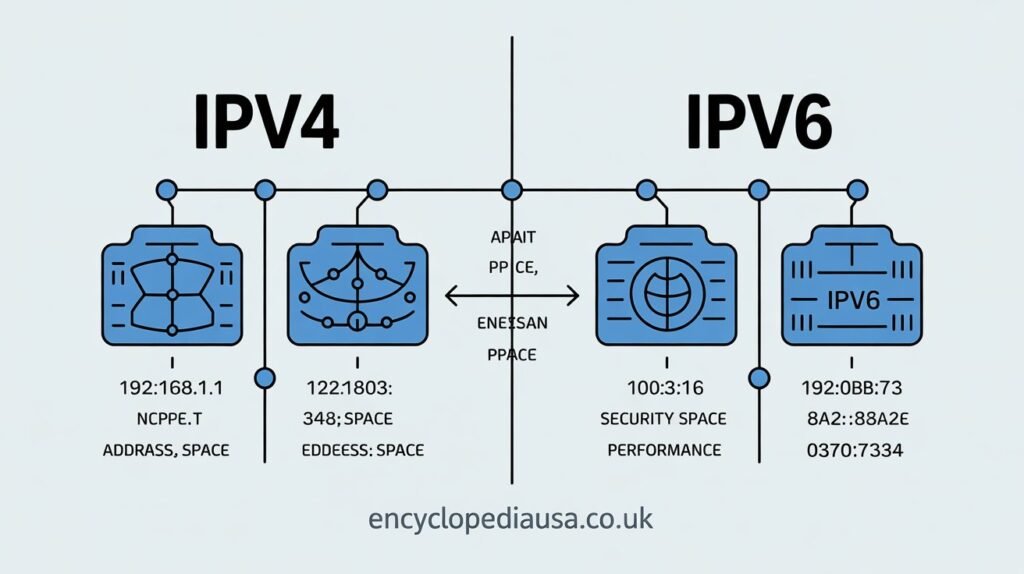
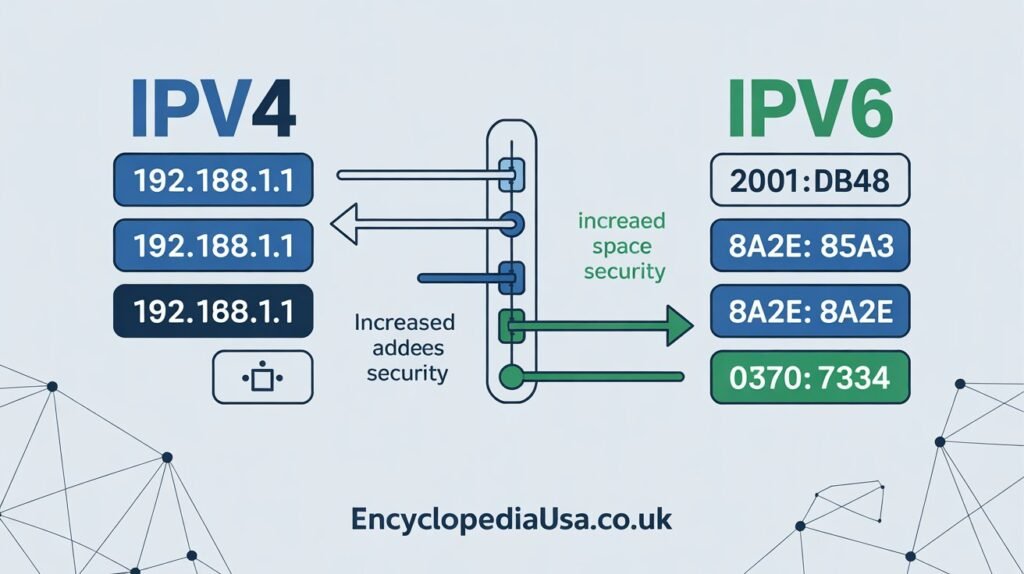
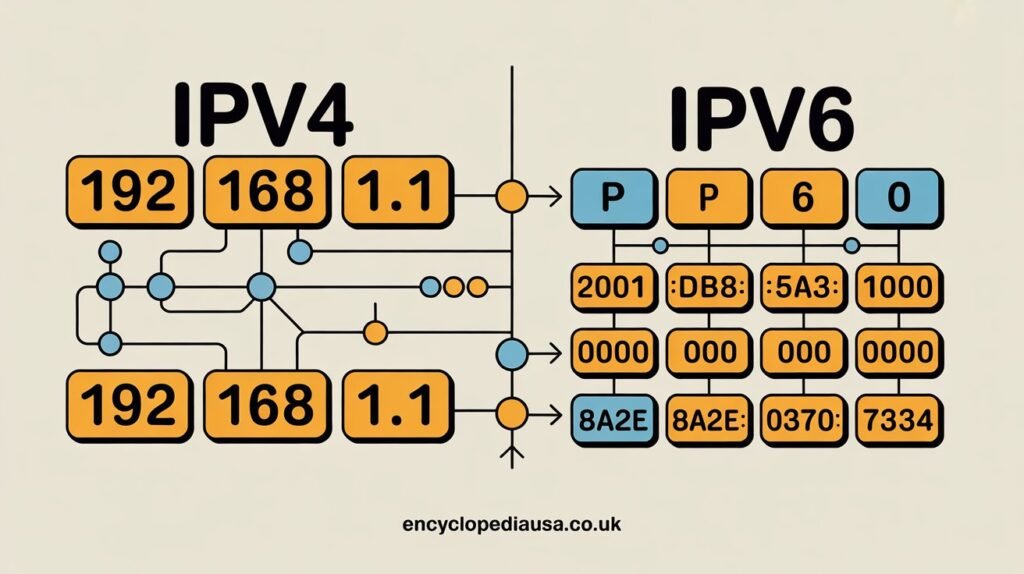
An IPv4 address looks like this: 192.168.1.1. You’ve probably seen numbers like these in your router settings or network configuration. Each address contains four sets of numbers separated by periods. Each set can range from 0 to 255.
The system creates about 4.3 billion possible addresses. That sounds like a lot, right? Back in the 1980s, nobody imagined we’d ever run out. But fast forward to today, and we have smartphones, tablets, smart TVs, security cameras, refrigerators, and countless other devices all needing their own addresses.
IPv4 uses a 32-bit addressing scheme. This technical detail matters because it directly limits how many unique addresses can exist. The math is simple: 2 to the power of 32 equals roughly 4.3 billion addresses. In a world with over 8 billion people and multiple devices per person, you can see the problem.
The protocol works through a process called packet switching. Your data gets broken into small packets, each labeled with source and destination IPv4 addresses. These packets travel independently through the internet and reassemble at their destination. It’s remarkably efficient for what it does.
What Is IPv6 and Why Was It Created?
IPv6, or Internet Protocol version 6, launched officially in 2012 as the solution to IPv4’s address shortage. Instead of 4.3 billion addresses, IPv6 provides approximately 340 undecillion addresses. That’s 340 followed by 36 zeros. To put it simply, we’ll never run out.
An IPv6 address looks completely different: 2001:0db8:85a3:0000:0000:8a2e:0370:7334. It uses eight groups of four hexadecimal digits separated by colons. Hexadecimal includes numbers 0 through 9 and letters A through F, allowing for more combinations in less space.
This protocol uses 128-bit addressing instead of 32-bit. The expanded address space was the primary motivation, but engineers also built in other improvements. IPv6 includes better security features, more efficient routing, and simplified network configuration.
The Internet Engineering Task Force developed IPv6 in the mid 1990s when experts realized IPv4 addresses would eventually run out. They wanted to create something that wouldn’t just solve today’s problems but would last for generations.
Many countries and companies have been gradually adopting IPv6. Google reports that over 40% of users now access their services via IPv6. Major internet service providers, mobile networks, and tech companies have implemented support, though full global transition remains ongoing.
Key Differences Between IPv4 vs IPv6
Understanding the differences between these two protocols helps you make sense of why the internet is changing. Let me walk you through the most important distinctions.
Address Length and Format
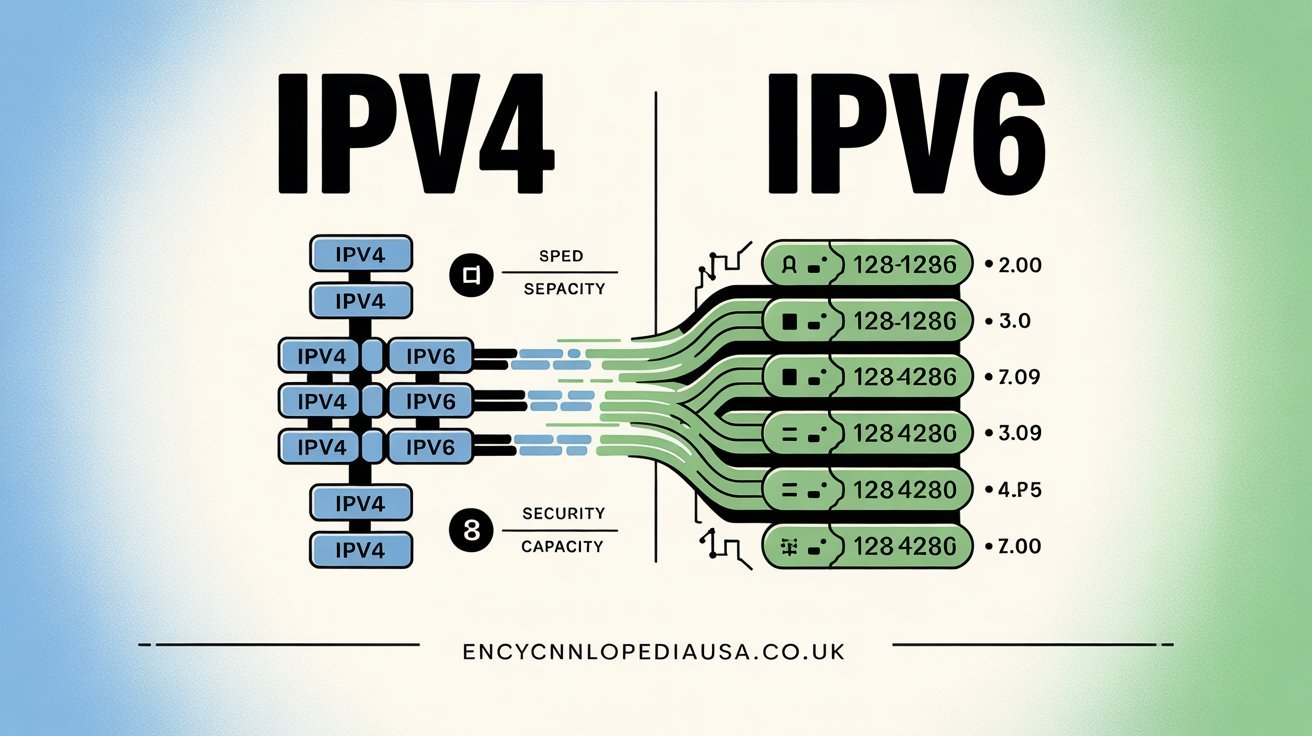
IPv4 uses 32 bits while IPv6 uses 128 bits. This creates the massive difference in available addresses. The format differs too: IPv4 shows dotted decimal notation while IPv6 uses hexadecimal with colons.
You’ll find IPv4 easier to remember and type. IPv6 addresses look more complex, though modern systems usually handle them automatically without you needing to memorize anything.
Address Space and Availability
The 4.3 billion IPv4 addresses have essentially run out. Regional internet registries exhausted their pools years ago. Now organizations must buy, lease, or share existing addresses.
IPv6 eliminates this scarcity completely. The address space is so vast that every person on Earth could have trillions of unique addresses. This abundance supports the growth of Internet of Things devices, smart homes, and future technologies we haven’t even imagined yet.
Security Features
IPv4 was designed before security became a critical internet concern. Encryption and authentication were added later through optional extensions called IPsec.
IPv6 built security directly into the protocol from the start. While IPsec is technically optional in current implementations, the architecture makes secure communication more straightforward and efficient.
Network Configuration
IPv4 typically requires DHCP servers to automatically assign addresses to devices. Network administrators spend considerable time managing address allocation and configuration.
IPv6 supports stateless address autoconfiguration. Devices can generate their own addresses and configure themselves without a DHCP server. This simplifies network management, especially in large organizations.
Header Structure and Efficiency
IPv4 headers contain numerous fields that routers must process. Some fields are rarely used but still require processing time.
IPv6 streamlined the header structure. It removed unnecessary fields and made routing more efficient. Packets move through networks faster because routers process simpler headers.
Quality of Service
IPv4 handles quality of service through various methods, but they’re not standardized across all networks. Prioritizing traffic like video calls or streaming can be complicated.
IPv6 includes flow labeling in its design. This feature helps networks identify and prioritize specific types of traffic more effectively, improving performance for time-sensitive applications.
Advantages of IPv4
Despite being the older technology, IPv4 still offers some practical benefits that matter in real world use.
IPv4 enjoys universal compatibility. Every device, router, and network infrastructure supports it. You won’t encounter compatibility issues or need special equipment.
The protocol is simple to understand and implement. Network technicians have decades of experience with it. Troubleshooting is straightforward because the technology is mature and well documented.
Existing infrastructure investments are massive. Companies have spent billions on IPv4 compatible equipment. Replacing everything isn’t financially practical for many organizations.
Network Address Translation, or NAT, allowed IPv4 to stretch further than expected. This technology lets multiple devices share a single public IP address. While not ideal, it delayed the address shortage crisis.
IPv4 requires less processing power in some scenarios. Older devices handle it efficiently without the overhead that IPv6’s larger addresses might create.
Advantages of IPv6
The newer protocol brings improvements that address modern internet needs and future growth.
The enormous address space is obviously the biggest advantage. You can assign unique addresses to every device without worrying about running out. This eliminates the need for NAT in most situations, simplifying network architecture.
Built in security makes IPv6 networks more resistant to certain attacks. End to end encryption becomes easier to implement when you don’t need NAT breaking up connections.
Better routing efficiency means faster data transmission. Simplified headers let routers process packets more quickly. This might not make a huge difference for casual browsing, but it matters for high traffic applications.
Autoconfiguration reduces administrative burden. Devices join networks with minimal manual setup. This feature becomes increasingly valuable as networks grow larger and more complex.
IPv6 supports multicast more efficiently than IPv4. This means sending data to multiple destinations simultaneously uses less bandwidth. Applications like video conferencing and live streaming benefit from this improvement.
The protocol handles mobile devices better. As phones and tablets move between networks, IPv6’s design makes the transition smoother with less connection interruption.
Challenges and Disadvantages
Neither protocol is perfect, and both face obstacles in today’s internet landscape.
IPv4’s primary disadvantage is obvious: we’ve run out of addresses. Organizations now pay premium prices for IPv4 blocks or resort to complex workarounds. This creates inefficiencies and limits growth.
Security wasn’t built into IPv4 from the start. Adding it later through patches and extensions creates vulnerabilities and complexity.
IPv6 faces a completely different challenge: adoption. Upgrading global internet infrastructure is incredibly complex and expensive. Many networks still don’t fully support it.
The complexity of IPv6 addresses intimidates some users and administrators. While automation handles most tasks, troubleshooting requires learning new patterns and tools.
Compatibility issues arise during the transition period. Running both protocols simultaneously, called dual stack, requires extra resources and careful configuration.
Some older devices and software simply cannot support IPv6. Businesses with legacy systems face difficult decisions about upgrading or replacing equipment.
IPv4 vs IPv6 Performance Comparison
You might wonder which protocol actually performs better in real world conditions. The answer isn’t as straightforward as you’d expect.
Studies show mixed results depending on the scenario. In some tests, IPv6 demonstrates slightly faster connection establishment. The streamlined packet headers contribute to this advantage.
However, IPv4 sometimes edges ahead in raw speed. Mature optimization in IPv4 infrastructure means extremely efficient routing. Equipment has been fine tuned over decades.
Facebook conducted extensive testing and found IPv6 performed comparably to IPv4 for most users. In some regions with modern infrastructure, IPv6 actually showed improvements. In areas with older equipment or incomplete implementation, IPv4 maintained an edge.
Latency differences are usually minimal for typical users. You probably wouldn’t notice any difference browsing websites or streaming video.
For businesses running high traffic applications, the efficiency gains from IPv6’s improved routing can add up. Reduced overhead means servers handle more requests with the same resources.
Gaming performance shows negligible differences between protocols. Your ping time depends far more on your internet connection quality and distance to game servers than which IP version you’re using.
How to Check Which Protocol You’re Using
Curious about whether you’re currently using IPv4 vs IPv6? Checking is simple.
Most operating systems show this information in network settings. On Windows, open Command Prompt and type “ipconfig.” You’ll see both IPv4 and IPv6 addresses if your network supports both.
Mac users can check System Preferences under Network. Click Advanced and select the TCP/IP tab to view your configuration.
Online tools make checking even easier. Websites like “test-ipv6.com” or “whatismyipaddress.com” instantly tell you which protocol your connection uses.
Your router’s admin panel also displays this information. Log in and look for the status or connection page.
Most modern connections use dual stack configuration. This means your device has both IPv4 and IPv6 addresses. Systems automatically choose the best option for each connection.
Mobile networks have adopted IPv6 more aggressively than home broadband. If you’re using cellular data, there’s a good chance you’re primarily on IPv6.
The Transition From IPv4 to IPv6
The shift between these protocols isn’t happening overnight. It’s a gradual process that will likely continue for years.
Several transition mechanisms help networks operate during this period. Dual stack is the most common approach. Networks run both protocols simultaneously, ensuring compatibility with everything.
Tunneling allows IPv6 packets to travel through IPv4 networks. The IPv6 data gets wrapped in an IPv4 envelope, travels to its destination, then gets unwrapped. It’s a temporary workaround that keeps things running smoothly.
Translation techniques convert between protocols when necessary. If an IPv6 only network needs to communicate with an IPv4 only system, special gateways handle the conversion.
Major tech companies have led the charge. Google, Facebook, Microsoft, and others enabled IPv6 across their infrastructure years ago. Their influence pushes the ecosystem forward.
Internet service providers face the biggest challenges. Upgrading equipment across entire regions costs enormous amounts of money. Return on investment isn’t always clear, which slows progress.
Government regulations in some countries mandate IPv6 support. The U.S. federal government required all networks to be IPv6 capable by 2008, though full implementation took longer.
Despite progress, complete transition remains distant. Experts estimate IPv4 will remain in use for at least another decade, possibly longer in some regions.
Which Protocol Should You Use?
For most individual users, you don’t need to actively choose. Your internet service provider and network equipment make these decisions automatically.
If you’re setting up a network, implementing dual stack gives you the best of both worlds. You maintain compatibility while future proofing your infrastructure.
Businesses planning new deployments should prioritize IPv6 compatibility. Even if you primarily use IPv4 today, ensuring your systems can handle IPv6 prevents costly upgrades later.
Organizations with IoT devices or large device counts benefit significantly from IPv6. The abundant address space eliminates management headaches.
Gaming servers and content delivery networks should support both. Your audience includes users on different protocols, and you want everyone to have optimal performance.
If you’re running legacy applications that don’t support IPv6, you’ll need to maintain IPv4 infrastructure. Just plan for eventual migration as software gets updated.
Home users rarely need to worry about this decision. Your router and ISP handle everything behind the scenes. Focus on getting a good internet connection rather than which protocol version it uses.
Security Considerations for Both Protocols
Security matters regardless of which protocol you use. Understanding the differences helps you protect your network.
IPv4’s optional security means you must actively implement protections. Firewalls, VPNs, and IPsec need proper configuration. Many networks skip these steps, leaving vulnerabilities.
IPv6’s built in security features provide a better foundation. However, default doesn’t mean automatic. You still need proper firewall rules and security policies.
One IPv6 advantage: the massive address space makes network scanning harder for attackers. Finding devices through random scanning becomes practically impossible.
But this creates a false sense of security. Attackers use other methods like DNS records or social engineering. Don’t assume IPv6 makes you invulnerable.
NAT in IPv4 networks provides an accidental security layer. Internal devices hide behind a single public address. IPv6’s end to end connectivity removes this barrier, requiring more deliberate security measures.
Both protocols face similar application layer attacks. Phishing, malware, and social engineering work regardless of IP version. Good security practices matter more than which protocol you use.
Keep your equipment updated. Security patches address vulnerabilities in both IPv4 and IPv6 implementations. Outdated firmware creates risks no matter which protocol you prefer.
Must Read 2025 honda accord
Future of Internet Protocols
Looking ahead, IPv6’s dominance seems inevitable. The question isn’t if but when complete transition happens.
IPv6 adoption continues growing steadily. According to recent statistics, over 40% of global internet traffic now uses IPv6. This percentage increases every year as more networks upgrade.
Some countries lead the way. India surpassed 70% IPv6 adoption. The United States hovers around 50%. Others lag significantly, creating a fragmented global landscape.
Emerging technologies depend on IPv6. The Internet of Things requires billions of unique addresses. Smart cities, autonomous vehicles, and advanced networks simply cannot scale on IPv4.
However, IPv4 won’t disappear completely anytime soon. Too much infrastructure relies on it. Too many devices lack upgrade paths. We’ll see coexistence for the foreseeable future.
Research into future protocols continues. While IPv6 should last for generations, engineers explore what might come next. IPv7 proposals exist, though mainstream adoption remains decades away if it happens at all.
The bigger shift might be how we think about internet addressing. Technologies like blockchain and decentralized networks could change everything. But for now, IPv4 vs IPv6 remains the central question.
Conclusion
The debate between IPv4 vs IPv6 ultimately comes down to legacy versus future. IPv4 served us brilliantly for over 40 years, but its limitations are real. The address shortage isn’t a theoretical problem anymore. IPv6 solves this with room to spare while bringing security and efficiency improvements.
For you as a user, the transition mostly happens invisibly. Your devices and networks increasingly use IPv6 without you noticing. That’s actually the point. Good technology works seamlessly in the background.
If you’re making technology decisions for your business or network, prioritizing IPv6 compatibility protects your investment. The future clearly points in that direction. But maintaining IPv4 support remains necessary until the entire internet ecosystem completes the migration.
The internet keeps evolving, and this protocol transition is one piece of that evolution. Understanding the basics helps you make informed decisions and appreciate the complex infrastructure that keeps you connected.
What has your experience been with IPv4 or IPv6? Have you noticed any differences in your internet connection? The transition affects all of us, and I’d love to hear your perspective.
Frequently Asked Questions
What is the main difference between IPv4 and IPv6?
The main difference is address space. IPv4 provides about 4.3 billion addresses using 32-bit addressing, while IPv6 offers 340 undecillion addresses using 128-bit addressing. IPv6 also includes built-in security features, more efficient routing, and simplified network configuration compared to IPv4.
Is IPv6 faster than IPv4?
IPv6 can be slightly faster in some scenarios due to more efficient packet headers and streamlined routing. However, real world performance differences are usually minimal for typical users. Connection speed depends more on your internet service quality, network infrastructure, and distance to servers than which protocol version you use.
Can IPv4 and IPv6 work together?
Yes, they can work together through dual stack implementation. This means networks and devices run both protocols simultaneously. When connecting to websites or services, your system automatically chooses the appropriate protocol. Transition mechanisms like tunneling and translation also allow communication between IPv4 only and IPv6 only systems.
Why haven’t we fully switched to IPv6 yet?
The transition requires upgrading massive amounts of global infrastructure, which is expensive and complex. Many older devices and applications don’t support IPv6. Organizations have invested billions in IPv4 equipment. Network Address Translation extended IPv4’s lifespan, reducing urgency. Complete transition will take years as equipment gets replaced and networks upgrade gradually.
Do I need to do anything to use IPv6?
Most users don’t need to take any action. Your internet service provider and network equipment handle IPv6 automatically if supported. Modern operating systems and devices support both protocols by default. If you’re setting up a new network or managing business infrastructure, you should ensure equipment supports IPv6 for future compatibility.
Is IPv6 more secure than IPv4?
IPv6 includes security features in its core design, while IPv4 added security through optional extensions. However, IPv6 doesn’t automatically make your connection secure. You still need proper firewall configuration, security policies, and good practices. Both protocols can be secured effectively, but IPv6 provides a better foundation for implementing security measures.
Will IPv4 become obsolete?
IPv4 will remain in use for many years, possibly decades in some regions. Too much infrastructure depends on it for immediate retirement. However, its role will gradually diminish as IPv6 adoption grows. Eventually IPv4 may become a legacy protocol used only for specific applications, but complete obsolescence is still far in the future.
How do I know if my internet connection uses IPv6?
Check your network settings or use online tools. On Windows, type “ipconfig” in Command Prompt. On Mac, check System Preferences under Network. Websites like test-ipv6.com instantly show which protocol your connection uses. Many modern connections use both through dual stack configuration, automatically selecting the best option for each connection.
Also Read Encyclopediausa.co.uk
Category: Networking and Internet Technology
Author Bio
John Harwen is a network infrastructure specialist with over 12 years of experience in internet technologies and protocol implementation. She has helped dozens of organizations transition to modern networking standards while maintaining operational efficiency. Sarah holds certifications in network architecture and regularly writes about making complex technical concepts accessible to everyone. When she’s not analyzing network performance, she enjoys hiking and experimenting with smart home automation projects.