

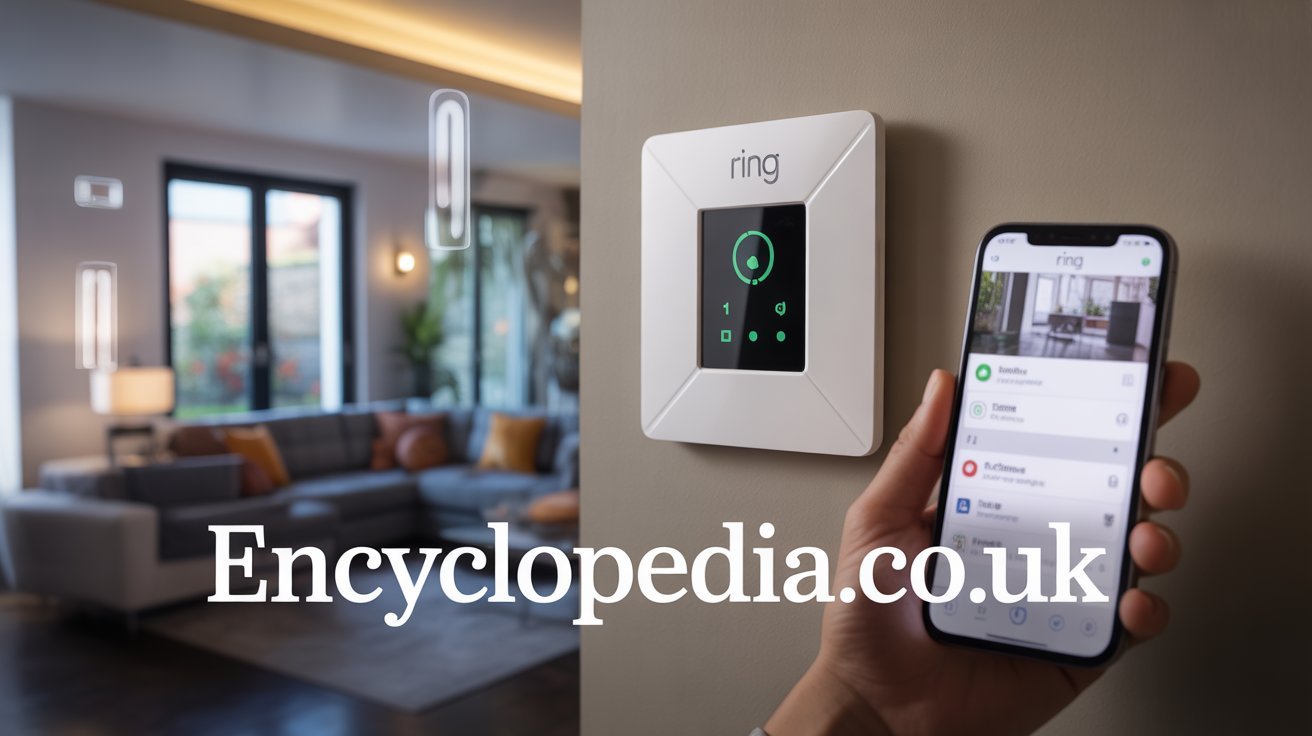
Ring Alarm System: Ultimate Guide to Smart Home Security 2026
Introduction
You’re lying in bed at 2 AM when you hear a noise downstairs. Your heart races. You wonder if someone’s breaking in or if it’s just the house settling. This terrifying scenario keeps many homeowners awake at night. Home security isn’t just about protecting your belongings. It’s about protecting your family and your peace of mind.
The Ring Alarm system promises to solve these worries without the hassle of traditional security companies. No drilling holes throughout your house. No expensive professional installation. No being locked into contracts you can’t escape. Ring offers a modern approach to home security that puts control directly in your hands.
In this comprehensive guide, we’ll explore everything you need to know about the Ring Alarm system. You’ll learn about its features, how it compares to competitors, and whether it’s worth your money. We’ll cover installation, monitoring options, pricing, and real-world performance. By the end, you’ll know exactly whether Ring Alarm is the right security solution for your home.
What Is the Ring Alarm System?
Ring Alarm is a DIY home security system that you can install yourself in under an hour. The company behind it, Ring, started with video doorbells and expanded into complete home security. Amazon acquired Ring in 2018, giving the brand enormous resources and integration capabilities with other smart home devices.
The system works through a central base station that connects to your home Wi-Fi. Various sensors placed around your home communicate wirelessly with this base station. When a sensor detects unusual activity, the system alerts you through the Ring app on your smartphone. You can monitor everything remotely from anywhere in the world.
Ring Alarm offers flexibility that traditional security systems can’t match. You buy the equipment outright with no hidden fees. Choose between self-monitoring for free or professional monitoring for a low monthly cost. Add or remove components as your needs change. Move the entire system to a new home without hassle.
The system integrates seamlessly with other Ring products like video doorbells and security cameras. This creates a comprehensive security ecosystem. You can view camera feeds, check sensor status, and control your alarm from a single app. This level of integration sets Ring apart from many competitors.
Key Features of Ring Alarm System
Wireless Sensors and Components
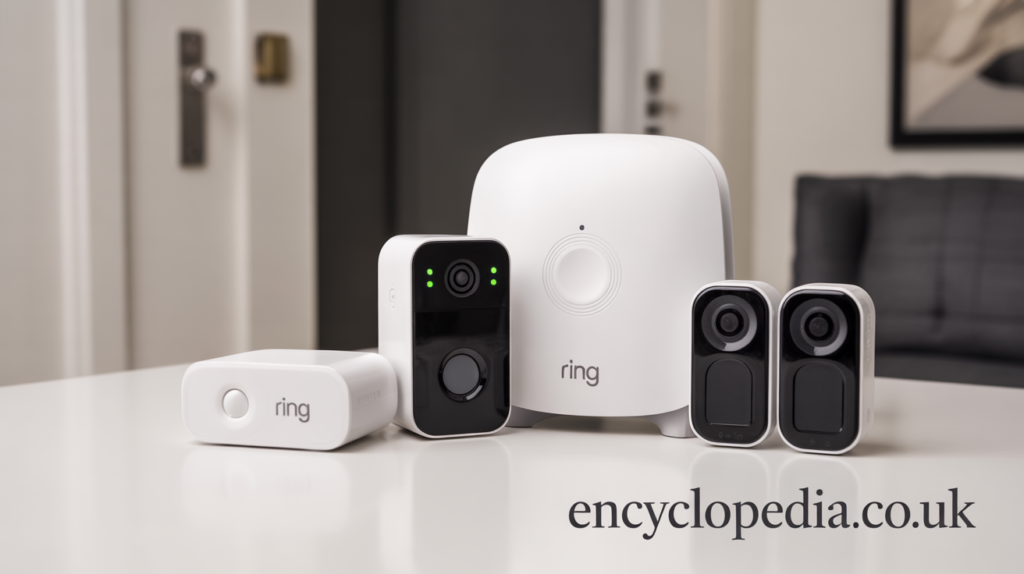
The Ring Alarm system relies on various wireless sensors to protect your home. Contact sensors mount on doors and windows to detect when they open. Motion detectors identify movement inside your home. The keypad allows you to arm and disarm the system without using your phone.
Each sensor runs on batteries that last several years. You’ll get low battery warnings well before they die. The wireless design means no complicated wiring or professional installation required. Simply peel and stick sensors where you need them. The adhesive is strong enough for security but won’t damage paint when removed.
The base station includes a backup battery and cellular connection. If your power goes out or internet fails, the system continues working. This redundancy ensures your home stays protected even during outages. Many cheap security systems fail when power cuts off, but Ring Alarm keeps functioning.
Range extenders boost signal strength in larger homes. These small devices plug into outlets and relay signals between sensors and the base station. You can cover homes up to several thousand square feet without connectivity issues.
Smart Home Integration
Ring Alarm works with Alexa, allowing voice control of your security system. Say “Alexa, arm my Ring Alarm” when leaving home. Ask Alexa to check if your doors are locked or if any sensors are triggered. This hands-free control adds convenience to your daily routine.
Integration with other smart home devices creates powerful automation. Connect smart lights to turn on when motion is detected. Link smart locks to automatically secure doors when you arm the system. These automations make your home more secure without requiring constant attention.
The Ring app serves as your control center for everything. View live camera feeds alongside sensor status. Receive instant notifications when sensors trigger. Review event history to see exactly when doors opened or motion occurred. The app’s intuitive interface makes security monitoring accessible to everyone.
IFTTT support enables even more advanced automations. Create custom rules like having lights flash when the alarm sounds. Send yourself emails when specific sensors trigger. The possibilities are nearly endless for tech-savvy users who want complete customization.
Professional Monitoring Options
Ring offers professional monitoring for just $20 per month or $200 annually. This includes 24/7 monitoring by trained professionals who contact police when alarms trigger. They verify emergencies before dispatching authorities, reducing false alarm fees. This service costs far less than traditional security company monitoring.
The monitoring service includes cellular backup and unlimited video recording for Ring cameras. All your Ring cameras save footage to the cloud for 180 days. This is a significant value considering many competitors charge separately for video storage. You get comprehensive protection and documentation for one low price.
You can also choose self-monitoring at no cost. Receive alerts when sensors trigger and decide how to respond yourself. This works well for budget-conscious homeowners or those who want complete control. Switch between self-monitoring and professional monitoring anytime without contracts or fees.
Emergency services integration varies by location. In some areas, Ring can automatically dispatch police or fire departments. Other areas require you to call 911 yourself after receiving an alert. Check Ring’s website to see what services are available in your specific location.
Ring Alarm Kit Options and Pricing

Starter Kit Packages
The five-piece Ring Alarm Kit costs around $200 and covers basic home security needs. It includes the base station, keypad, contact sensor, motion detector, and range extender. This kit works well for apartments or small homes with limited entry points.
The 10-piece kit expands protection for about $250. You get additional contact sensors and motion detectors to cover more doors and windows. This kit suits average-sized homes with multiple entry points. Most homeowners find this configuration provides adequate initial coverage.
The 14-piece kit offers the most comprehensive protection out of the box for approximately $330. Multiple contact sensors cover all main doors and windows. Additional motion detectors protect multiple rooms. This kit works well for larger homes or those wanting maximum initial protection.
All kits include the same base station and keypad. The main difference is the number of sensors included. You can always add individual components later as your needs grow. Starting with a smaller kit and expanding makes sense for many budgets.
Individual Component Costs
Contact sensors cost about $20 each and protect individual doors or windows. Motion detectors run approximately $30 each and cover entire rooms. The keypad costs around $50 if you need an additional one for another entrance.
The panic button costs about $35 and provides emergency alert capability. Press it to trigger the alarm and summon help without accessing the keypad or phone. This works great for elderly family members or anyone who wants quick emergency access.
Smoke and carbon monoxide listeners cost around $35 each. These devices listen for your existing smoke alarms and trigger the Ring system when they detect the alarm sound. This integrates fire protection into your security monitoring without replacing existing alarms.
Glass break sensors run about $40 and detect the sound of breaking glass. These protect windows without requiring sensors on each one. One sensor can monitor multiple windows in the same room, making them cost-effective for sunrooms or areas with many windows.
Professional Monitoring Subscription
The Protect Basic plan costs $4.99 monthly and covers one Ring doorbell or camera. You get video recording and sharing for that single device. This plan makes sense if you only have one camera and don’t need full security monitoring.
The Protect Plus plan runs $20 monthly or $200 annually and covers unlimited Ring devices at one location. Professional monitoring for Ring Alarm is included. All cameras record and save videos. Extended warranty coverage protects your equipment. This plan offers the best value for most users.
You can cancel anytime without penalties or termination fees. This flexibility sets Ring apart from traditional security companies that lock you into multi-year contracts. Try professional monitoring and cancel if it doesn’t meet your needs. No risk, no hassle.
Installing Your Ring Alarm System
Planning Your Setup
Start by identifying all entry points that need protection. Walk around your home and note every door and window on the ground floor. Don’t forget basement windows, garage doors, and any other potential entry points. Creating this list ensures you have enough sensors before starting installation.
Decide which rooms need motion detection. Focus on main pathways intruders would use. Living rooms, hallways, and staircases are prime locations. You don’t need motion detectors in every room. Strategic placement provides adequate coverage without unnecessary expense.
Choose a central location for your base station. It needs to be near your router initially for setup but can move afterward. Place it somewhere accessible but not immediately visible from windows. You want it protected from tampering but still able to communicate with all sensors.
Plan your keypad location carefully. Install it near your most-used entrance but not immediately visible from outside. You don’t want potential intruders seeing you enter your code. Inside the garage door or just inside the front door works well for most homes.
Step-by-Step Installation Process
Begin by unboxing everything and checking that all components are present. Charge the keypad fully before starting. Download the Ring app and create an account if you don’t have one. The app will guide you through the entire setup process step by step.
Install the base station first by plugging it into power and connecting it to your router with the included ethernet cable. The app will detect the base station and walk you through connecting it to your account. This process takes just a few minutes. Once connected, you can remove the ethernet cable and rely on Wi-Fi.
Add sensors one at a time through the app. Scan the QR code on each sensor, and the app will recognize it. Mount contact sensors on doors and windows following the placement guide. The magnet piece goes on the moving part while the sensor stays on the frame. Keep them within half an inch of each other.
Mount motion detectors in corners of rooms pointing toward entry points. Install them at the recommended height, usually around chest level. Test each sensor after installation by triggering it and confirming the app shows the activity. This ensures everything communicates properly before relying on the system.
Optimizing Sensor Placement
Contact sensors work best when the sensor and magnet align perfectly. Even slight misalignment can cause false triggers or missed detections. Take time to position them carefully. The app shows signal strength, helping you identify potential connectivity issues during installation.
Motion detectors have a specific field of view. Point them toward areas where intruders would walk, not toward windows or heat sources. Direct sunlight or heating vents can cause false alarms. The pet-friendly motion detectors ignore animals under 50 pounds, but placement still matters for accuracy.
Range extenders should go halfway between the base station and problem sensors. Plug them into outlets that stay powered constantly. Avoid outlets controlled by switches. The app helps identify sensors with weak signals so you know where extenders are needed.
Test your entire system after installation by arming it and triggering sensors intentionally. Walk through motion detector fields. Open doors and windows with contact sensors. Verify you receive notifications promptly. Fix any issues before relying on the system for actual security.
Using the Ring Alarm System Daily

Arming and Disarming Modes
Home mode arms perimeter sensors like doors and windows while disabling interior motion detectors. Use this when you’re home and want protection without setting off alarms while moving around. It’s perfect for nighttime when you’re sleeping or anytime you’re inside but want entry point monitoring.
Away mode arms everything, including motion detectors. Use this whenever you leave home. Any movement inside or entry through doors and windows triggers the alarm. This provides maximum protection when nobody should be in your home. The system gives you a countdown to exit before fully arming.
Disarmed mode turns off all alarm functions but sensors still report status. You’ll see when doors open or motion occurs without triggering alarms. This helps you monitor your home without the alarm active. It’s useful when contractors are working or when you have guests coming and going frequently.
You can arm and disarm through the app, keypad, or voice commands with Alexa. The keypad requires a four-digit code that you create during setup. Each family member can have their own code. The app tracks who armed or disarmed the system and when, creating an activity log.
Managing Alerts and Notifications
Customize which notifications you receive in the app settings. Choose to get alerts for every sensor or only for alarms. Set quiet hours when non-urgent notifications are silenced. This prevents notification overload while ensuring you never miss important security events.
When a sensor triggers, you receive an instant push notification. Tap it to see which sensor activated and view any connected cameras. The notification includes options to call authorities or dismiss the alert if it’s a false alarm. Response time is critical in emergencies, and Ring makes it quick.
The app’s event history shows every sensor activation, arming, and disarming. You can review what happened while you were away or sleeping. This creates a security record that helps identify patterns or potential issues. Timestamps show exactly when each event occurred.
Video verification works when you have Ring cameras connected. When a sensor triggers, the app automatically shows relevant camera feeds. You can instantly see what caused the alert without manually opening camera apps. This integration saves precious seconds during actual security events.
Ring Alarm System Pros and Cons
Advantages of Ring Alarm
Affordability ranks as Ring’s biggest advantage. The equipment costs significantly less than competitors while offering similar features. No installation fees or activation charges. Optional professional monitoring costs a fraction of traditional security companies. You get solid security without breaking your budget.
Installation simplicity appeals to people who hate complex technology. Everything connects wirelessly. The app guides you through each step with clear instructions. Most people complete installation in under an hour. No technical expertise required. If you can stick something to a wall, you can install Ring Alarm.
Flexibility and scalability allow the system to grow with your needs. Start small and add sensors as budget allows. Move everything to a new home easily. No contracts or commitments lock you in. This adaptability works perfectly for renters, frequent movers, or anyone who values options.
Amazon Alexa integration creates powerful smart home possibilities. Control your security with voice commands. Automate routines that combine security with lighting, locks, and other devices. The ecosystem continues expanding as Ring develops new products and integrations.
Disadvantages and Limitations
Wi-Fi dependence can be problematic in homes with unreliable internet. While cellular backup exists with professional monitoring, the system works best with strong, consistent Wi-Fi. Dead zones in large homes may require additional networking equipment beyond just Ring’s range extenders.
Battery replacement becomes necessary every few years for each sensor. While the batteries last long and you get advance warnings, replacing them in dozens of sensors represents an ongoing maintenance task. Some people prefer hardwired systems that eliminate this concern entirely.
Limited professional monitoring features compared to premium competitors. Ring doesn’t offer medical alert buttons or advanced environmental monitoring that some traditional companies provide. The service is basic but effective. You sacrifice some premium features for the lower cost.
No cellular backup without professional monitoring subscription. Self-monitoring users lose all functionality during internet outages. Your system becomes useless until Wi-Fi returns. This limitation might concern people in areas with frequent outages or those unwilling to pay for monitoring.
Ring Alarm Compared to Competitors
Ring vs. SimpliSafe
SimpliSafe costs slightly more for equipment but offers similar DIY installation. Their sensors have a reputation for slightly better reliability in some user reviews. SimpliSafe’s professional monitoring includes more direct integration with emergency services in certain areas. However, Ring’s lower monitoring cost and Amazon ecosystem integration provide strong counterarguments.
SimpliSafe doesn’t include video recording in their basic monitoring plan. Ring includes unlimited camera storage with their Protect Plus plan. For homes with multiple cameras, Ring provides better value. SimpliSafe requires separate camera subscriptions that add up quickly.
Both systems work without contracts and allow self-monitoring. Installation difficulty is comparable. The choice often comes down to whether you value Ring’s ecosystem integration or SimpliSafe’s slightly more traditional security approach. Neither choice is wrong, just different priorities.
Ring vs. ADT
ADT represents traditional professional security with professional installation and monitoring. Their equipment costs significantly more, and monthly monitoring fees are higher. However, ADT offers more comprehensive monitoring with faster emergency response in many areas. They’ve been in business for over a century, providing peace of mind through reputation.
Ring’s DIY approach saves money but requires more effort. ADT technicians install everything professionally, though this comes at a premium cost. ADT’s contracts lock you in for years while Ring offers complete flexibility. The trade-off is between cost savings and full-service professional support.
For tech-savvy homeowners comfortable with DIY, Ring makes more sense. For those wanting white-glove service and willing to pay for it, ADT delivers. Your comfort level with technology and budget constraints determine which system fits your needs better.
Ring vs. Google Nest Secure
Google discontinued new sales of Nest Secure, making Ring the clear winner by default. Existing Nest Secure users can continue using their systems, but no new components or systems are available. This highlights one advantage of Ring’s backing by Amazon compared to Google’s inconsistent commitment to hardware products.
Common Ring Alarm System Issues and Solutions
Connectivity Problems
Weak Wi-Fi signal causes most connectivity issues. Move your router closer to the base station or add a Wi-Fi extender. Ring’s range extenders only boost communication between sensors and the base station, not your Wi-Fi itself. Understanding this distinction helps troubleshoot effectively.
Sensor offline messages usually indicate battery issues or signal problems. Check the battery first, as it’s the simplest solution. If battery is fine, move the sensor closer to the base station or add a range extender between them. The app shows signal strength for each sensor, helping identify weak connections.
Base station offline means it lost internet connection. Check that your router works and the base station has power. Reboot both the router and base station by unplugging them for 30 seconds. If problems persist, try moving the base station to a different location with better signal.
False Alarms
Contact sensor false alarms often result from improper installation. Verify the sensor and magnet align correctly within half an inch. Loose mounting can cause vibrations that trigger false alerts. Reattach with fresh adhesive if needed. Sometimes the surface wasn’t clean during initial installation, causing poor adhesion.
Motion detector false alarms might come from pets, moving curtains, or heating sources. Adjust the angle to avoid these triggers. Use pet-friendly motion detectors if you have animals. Place detectors away from windows where moving shadows or sunlight changes might cause false triggers.
Too many false alarms can lead to fines in some jurisdictions. Take time to properly tune your system. Use home mode more often to disable interior sensors when you’re present. This reduces false alarms while maintaining perimeter protection. Professional monitoring services help verify alarms before calling police.
Maximizing Your Ring Alarm System
Adding Cameras for Complete Coverage
Ring Video Doorbells integrate perfectly with Ring Alarm. See who’s at your door and communicate with visitors remotely. When someone rings your doorbell while the alarm is armed, you’ll receive enhanced notifications. The combination of doorbell and alarm creates powerful front door security.
Indoor and outdoor cameras extend coverage beyond what sensors provide. Cameras give visual verification of what triggered sensors. Place outdoor cameras to cover driveways, backyards, and side yards. Indoor cameras monitor main living areas or hallways that intruders would use.
Stick Up Cams offer flexible placement options for any location. Battery-powered versions install anywhere without electrical work. Plug-in versions provide continuous power for high-traffic monitoring. The versatility allows you to create comprehensive coverage that matches your home’s unique layout.
Spotlight Cams add motion-activated lighting to video recording. The bright lights often deter intruders before they attempt entry. Combined with sirens and alarms, you create multiple layers of deterrence. Most criminals prefer easy targets, and visible security makes your home less appealing.
Creating Automation Routines
Link smart lights to turn on when your alarm triggers. The sudden illumination startles intruders and alerts neighbors to potential problems. Lights can also turn on automatically when you disarm the system, illuminating your path as you enter. These automations add convenience and security simultaneously.
Smart locks can automatically lock when you arm away mode. Never worry about forgetting to lock doors again. The system ensures your home is secured when you leave. Some locks also allow temporary codes for visitors or service providers, integrating access control with your security monitoring.
Set schedules for automatic arming and disarming. If you leave for work at the same time daily, the system can arm itself automatically. It can disarm when you typically return home. Schedules reduce the chance of forgetting to arm your system while maintaining security.
Conclusion
The Ring Alarm system delivers solid home security at an affordable price point. Its DIY installation, flexible monitoring options, and seamless smart home integration make it appealing to modern homeowners. You get professional-grade protection without professional-grade costs or commitments. The system’s expandability ensures it grows with your changing needs.
While Ring Alarm has limitations like Wi-Fi dependence and basic monitoring features, these trade-offs make sense for most users. The money you save compared to traditional security companies can be invested in additional sensors or cameras. You maintain control over your security without signing away years of your life to contracts.
Whether Ring Alarm is right for you depends on your specific needs and comfort with technology. If you value flexibility, affordability, and smart home integration, it’s an excellent choice. If you prefer full-service professional installation and monitoring with faster emergency response, traditional companies might suit you better.
Ready to upgrade your home security? Have you used Ring Alarm or are you considering it? Share your experiences or questions in the comments below. And if this guide helped you understand Ring Alarm better, share it with friends or family who might be exploring security options.
Frequently Asked Questions
Does Ring Alarm work without Wi-Fi?
Ring Alarm requires Wi-Fi for normal operation and app connectivity. However, if you have professional monitoring, the system includes cellular backup that maintains security monitoring during internet outages. Without professional monitoring, the system stops functioning when Wi-Fi goes down. The base station has battery backup for power outages, but it still needs internet connectivity to communicate with your phone and monitoring services.
Can Ring Alarm be hacked?
Like any connected device, Ring Alarm has potential security vulnerabilities, but Ring implements strong encryption and security measures. Use a strong, unique password for your Ring account and enable two-factor authentication. Keep your home Wi-Fi network secured with WPA2 or WPA3 encryption. These steps significantly reduce hacking risk. Ring regularly updates firmware to address security concerns.
How loud is the Ring Alarm siren?
The Ring Alarm base station siren produces 104 decibels, which is extremely loud. This volume is comparable to a chainsaw or rock concert. The sound is designed to alert neighbors and scare off intruders. You can adjust the siren volume in the app if needed. The keypad also produces sounds when arming and disarming, but these are much quieter.
Does Ring Alarm call the police automatically?
With professional monitoring, Ring’s monitoring center contacts police when alarms trigger. They attempt to verify the emergency first by calling your phone and emergency contacts. If they cannot reach anyone or confirm an emergency, they dispatch police. Without professional monitoring, you must call police yourself after receiving alerts. Ring cannot automatically dispatch emergency services for self-monitoring users.
How long do Ring Alarm sensor batteries last?
Ring Alarm sensors typically run for three years on their batteries under normal use. Heavy use or extreme temperatures can reduce battery life. The app provides low battery warnings several weeks before batteries die, giving you time to replace them. Sensors use common CR123A batteries available at most stores. Battery life varies by sensor type and usage frequency.
Can I use Ring Alarm in an apartment?
Yes, Ring Alarm works perfectly in apartments. The wireless sensors install without drilling holes, using adhesive mounting. You can remove everything when moving without damaging walls. Apartment dwellers particularly benefit from the flexibility and portability. Check your lease regarding security systems, though most landlords have no issues with non-permanent installations like Ring.
Does Ring Alarm work with iPhone and Android?
The Ring app works on both iOS and Android devices. You can monitor and control your system from any smartphone or tablet. The app maintains feature parity across platforms, so iPhone and Android users get the same functionality. You can also access limited features through the Ring website on computers.
What happens if someone steals the Ring keypad?
The keypad alone is useless without your account credentials and access to the base station. Even if stolen, thieves cannot use it to access your system or disable your alarm. The base station maintains all system intelligence. You can immediately remove the stolen keypad from your account through the app and order a replacement. Your home remains protected by remaining sensors.
Can I have multiple users on Ring Alarm?
Yes, you can add unlimited shared users to your Ring account. Each user gets their own login credentials. You control what each user can access, including cameras, alarms, and settings. This works great for families where everyone needs monitoring capability. You can also create unique keypad codes for each family member to track who arms and disarms the system.
Does Ring Alarm integrate with Apple HomeKit?
Ring Alarm does not currently support Apple HomeKit integration. Ring focuses on Amazon Alexa compatibility instead, which makes sense given Amazon owns Ring. If HomeKit integration is essential, you might consider alternatives like the iSmartAlarm or Abode systems that support HomeKit. Ring’s strong Alexa integration provides similar smart home benefits for Amazon ecosystem users.
Read More : How to share location on iphone